The prep station between your camera and your editor
Review the video. Make every call.
Cutting Board turns a camera card into an ordered review queue. The
editor is the kitchen. This is the board you work on first — where
the day's video gets screened, sorted, trimmed, and labelled before
anything reaches a timeline.
Built because the sorting was the slow part. A
weekend of event video is hours of scrubbing before a single cut gets
made, and no tool owned that hour. Analysis accelerates attention,
and stops there. It does not edit automatically. It does not decide
what is good, identify athletes, coach players, or replace editorial
taste.
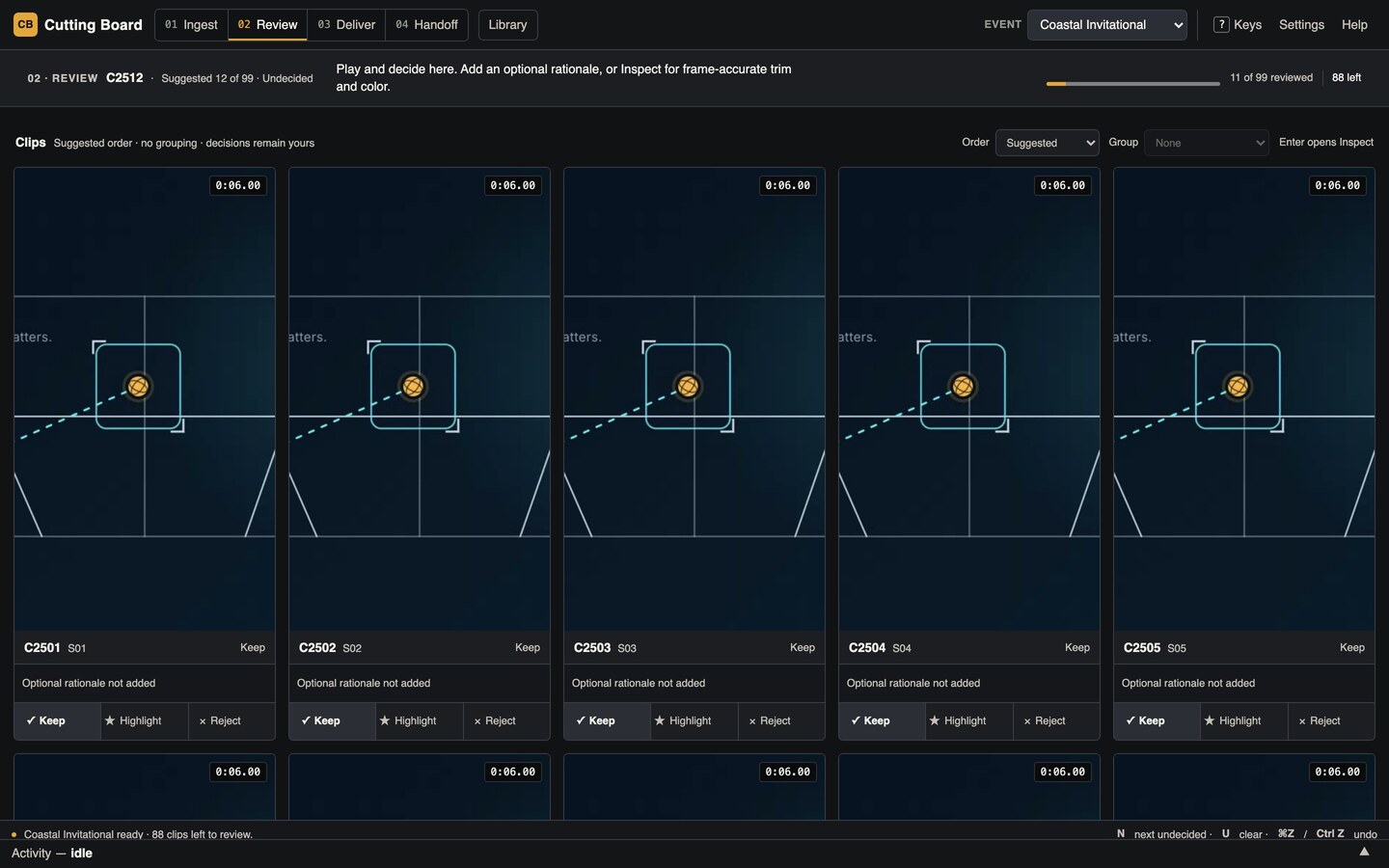
Current Review board · source e032fb9Disposable synthetic fixture · no imported footage
Before the editor
Everything in place before the edit begins.
Untouched footage does not need rescuing. It needs a clear review
pass, a record of your decisions, and an organized next step.
01
Ingest
Bring in the event.
Choose a camera card or local folder. Cutting Board prepares review copies and thumbnails locally while your source footage stays unchanged.
02
Review
Sort what you see.
Play each clip, flag and tag what matters, then mark it Keep, Highlight, Reject, or Undecided. Add a note when the reason matters later.
03
Deliver and Handoff
Prepare the next edit.
Use saved decisions and confirmed tags to create local deliverables or an organized package for continued manual editing.
The human review loop
The app points. You decide.
Cutting Board gives you a useful starting order. The final decisions,
tags, rationale, trims, and corrections remain yours.
Default workspace
Review board
Work directly on playable cards. Keep a clip, highlight it,
reject it, or leave it undecided without losing your place in the
event.
Suggested order or capture order
Operator-owned flags, tags, and rationale
Keep, Highlight, Reject, and Undecided
When you need a closer look
Inspect
Open a selected clip larger for frame-accurate playback, bounded
trims, and corrections. Then return to the same place on the
Review board.
Frame step and shuttle
Timeline-based in and out markers
Analysis guidance kept separate from your rationale
Optional review keys
SpacePlay
PKeep
HHighlight
XReject
EnterInspect
What remains yours
Useful structure without an automatic editor.
Cutting Board organizes the work around your decisions. It does not turn a
queue order into a creative verdict.
01
Footage stays where you chose it.
Sources stay unchanged. Cutting Board works locally and does not upload footage on its own.
02
Your decisions stay yours.
Analysis can suggest an order or explain a signal. Your decisions remain operator-authored: you decide what to keep, why, and what needs more work.
03
Work is prepared, not sent.
Cutting Board prepares local work; nothing uploads, publishes, or reaches an editor automatically. You choose when and where the organized work goes next.
Download
Download Cutting Board and start reviewing.
Free, and open source under AGPL-3.0. Choose your platform, verify
the checksum if you need it, and keep the creative calls in your
hands. This is an alpha, not a support promise.
Available to download
macOS public-alpha DMG
Apple silicon · macOS 12 or later
Signed and notarized for macOS. Developer ID
signing, Apple notarization, stapling, and Gatekeeper checks
all passed on the build Mac.
The per-artifact receipts above record how each build was signed and
notarized. This one records how it reached you: the exact object key,
and a full byte-for-byte readback from both the authenticated and the
public URL.
Cutting Board
Review first. Make the call. Keep editing on your terms.